Frequently Asked Questions about iCloudin MSLA - Unlock iCloud
Welcome to the Frequently Asked Questions (FAQ) section of iCloudin MSLA – Unlock iCloud. Here you will find detailed answers to the most common questions about our iCloud unlocking software. If you have any other questions, feel free to contact us. Our mission is to provide you with all the information you need to use iCloudin MSLA effectively and securely.
What is iCloudin MSLA and what is it used for?
iCloudin MSLA is a software specifically designed to help users unlock Apple devices that are locked by iCloud. This program is useful for those who have forgotten their iCloud credentials or have purchased a second-hand device with an active iCloud lock. With iCloudin MSLA, you can remove the activation lock and access your device without restrictions. (more info)
Is it legal to use iCloudin MSLA?
Yes, it is completely legal to use iCloudin MSLA to unlock a device that you own or have legitimately acquired. However, we do not promote or support the use of our software to unlock stolen or illegally acquired devices. It is important to ensure that the device you are unlocking is owned by you or that you have the consent of the original owner. (more info)
How does iCloudin MSLA work?
How iCloudin MSLA works is simple and effective. Below, we will explain the process step by step:
- Download and Install: Download iCloudin MSLA from our official website and install it on your computer.
- Device Connection: Connect your Apple device to the computer using a USB cable.
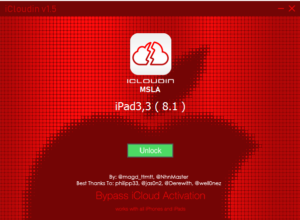
- Start the Unlock Process: Open iCloudin MSLA and select the unlock option. The software will start the iCloud lock removal process.
- Completion: Once the process is complete, your device will be unlocked and you will be able to access all of its features. (more info)
Is it safe to use iCloudin MSLA?
Absolutely. The security of our users is a priority. iCloudin MSLA uses advanced security protocols to protect your personal information during the unlocking process. Your data is safe and will never be shared with third parties. In addition, our software is updated regularly to keep up with the latest security measures and iOS versions. (more info)
What devices are compatible with iCloudin MSLA?
iCloudin MSLA is compatible with a wide range of Apple devices, including:
- iPhone: From older models such as iPhone 4 to newer models such as iPhone 14.
- iPad: Including all versions of the iPad, iPad Mini, iPad Air and iPad Pro.
- iPod Touch: All generations of the iPod Touch.
For a complete list of supported devices, you can visit the specifications section on our website. (more info)
How much does iCloudin MSLA cost?
We offer different pricing plans to suit your needs. You can opt for a single license or a family license that allows you to unlock multiple devices. Visit our pricing page for more information on current rates and special offers available. (more info)
Can I use iCloudin MSLA if my device has the latest version of iOS?
Yes, iCloudin MSLA is regularly updated to be compatible with the latest iOS versions. We make sure that our software works with all recent updates from Apple, so you can use iCloudin MSLA even if your device has the latest iOS version installed. (more info)
Do I need technical knowledge to use iCloudin MSLA?
No, you don’t need to be a tech expert to use iCloudin MSLA. Our software is designed with an intuitive interface that guides users through each step of the unlocking process. If you can follow basic instructions, you will be able to use iCloudin MSLA without any problems. (more info)
What should I do if I encounter problems during the unlocking process?
If you encounter any problems during the unlocking process, our technical support team is available to help you. You can contact us via the contact form on our website, by email or via live chat. We are here to provide you with fast and effective assistance. (more info)
What if iCloudin MSLA cannot unlock my device?
In the rare event that iCloudin MSLA is unable to unlock your device, we offer a money back guarantee. We are committed to providing an effective solution, and if we are unable to deliver on our promise, we will refund you the cost of the software. See our refund policy for more details. (more info)
Can I relock my device after using iCloudin MSLA?
Once you have unlocked your device with iCloudin MSLA, it will not be automatically locked again. However, it is important that you set up a new iCloud account with a strong password to prevent future lockouts. We also recommend enabling two-factor authentication for added security. (more info)
Does unlocking iCloud affect the warranty of my Apple device?
Unlocking iCloud with iCloudin MSLA should not affect your Apple device warranty. However, we recommend that you review Apple’s warranty terms and conditions to be sure. In some cases, any unauthorized modification to the device software could affect warranty coverage. (more info)
Can I use iCloudin MSLA on a Mac?
Currently, iCloudin MSLA is designed to run on Windows computers. We are working on a Mac compatible version, which will be available soon. We recommend that you keep checking our website for updates on the availability of the Mac version. (more info)
What languages does iCloudin MSLA support?
iCloudin MSLA is available in several languages to cater to our global users. Currently, we support English, Spanish, French, German, Italian, Chinese and Japanese. We are continuously working to add more languages and improve the accessibility of our software. (more info)
How can I update iCloudin MSLA?
iCloudin MSLA updates are released regularly to improve software compatibility and security. When an update is available, you will receive a notification within the program. Simply follow the on-screen instructions to download and install the latest version. (more info)
Do I need an internet connection to use iCloudin MSLA?
Yes, an internet connection is required to download and install iCloudin MSLA, as well as to check and update the software. However, once the program is installed and running, the unlocking process can be performed without an internet connection. (more info)
How do I know if my device is locked by iCloud?
An iCloud locked device usually displays an activation lock screen when you try to set it up. This lock will prompt you to enter the previous owner’s Apple ID and password. If you see this screen and cannot provide the correct credentials, your device is iCloud locked. (more info)
What should I do after unlocking my device with iCloudin MSLA?
After unlocking your device with iCloudin MSLA, it is important to follow a few steps to properly secure and set up your device:
- Set up a new iCloud account: use a valid email address and choose a strong password.
- Update your software: Make sure your device has the latest version of iOS installed.
- Enable two-factor authentication: This feature will add an extra layer of security to your iCloud account.
- Back up your data: Use iCloud or iTunes to back up your important data. (more info)
Can I sell my device after unlocking it with iCloudin MSLA?
Yes, you can sell your device after unlocking it with iCloudin MSLA. Be sure to erase all your personal data and reset the device to factory settings before selling it. This will ensure that the new owner can set up the device as new and that your data remains secure. (more info)
Where can I download iCloudin MSLA?
You can download iCloudin MSLA from our official website. Make sure to download the software only from trusted sources to avoid fake or malicious versions of the program. We provide safe and secured download links on our website. (more info)
How can I contact iCloudin MSLA technical support?
Our technical support team is available to help you with any questions or issues you may have. You can contact us via the contact form on our website, send us an email or use live chat for immediate assistance. We promise to respond to all inquiries within 24 hours. (more info)
What should I do if I forgot my iCloud password?
If you forgot your iCloud password, first try to recover it through Apple’s recovery page. If you are unable to recover your account, iCloudin MSLA can help you unlock your device so you can access it again. Follow the instructions provided in our software to complete the unlocking process. (more info)
Can iCloudin MSLA unlock devices with Find My iPhone enabled?
Yes, iCloudin MSLA can unlock devices that have Find My iPhone enabled. This feature is part of the iCloud activation lock, and our software is designed to handle such locks effectively. (more info)
How long does the unlocking process with iCloudin MSLA take?
The time it takes for the unlocking process may vary depending on the device model and iOS version. In general, the process can take anywhere from 10 to 30 minutes. Our software is optimized to perform the unlock as quickly and efficiently as possible. (more info)
Can I use iCloudin MSLA on multiple devices?
Yes, you can use iCloudin MSLA on multiple devices, depending on the type of license you purchase. We offer single and family licenses that allow you to unlock multiple devices. Please see our pricing page for more information on the options available. (more info)
Conclusion
We hope this FAQ section has answered your questions about iCloudin MSLA – Unlock iCloud. Our goal is to provide you with an effective and secure solution to unlock Apple devices locked by iCloud. If you have any further questions or need additional assistance, feel free to contact our technical support team. We are here to help you every step of the way.
Download Server